iPhone Battery Power: Worthless Comparisons.

Technology July 14th, 2008

PC World, Gizmodo, 9 to 5 Mac, Mobility Site , jkOnTheRun and probably a bunch of others happily report that while the iPhone 3g battery life can’t be compared to the first-gen one, it’s still better than any other 3G phones on the market today.

This is a worthless comparison without adding the important fact that other phones have replaceable batteries.  C’mon, spare batteries are so slim, you can easily carry one, and use your phone without any interruption  - except on the iPhone: when it’s gone, in about 5 hours, you’re dead.

Zemanta Pixie

Tags: , , , , ,

Microsoft’s Echoes Does NOT Eliminate Phone Numbers

Personal Productivity, Technology May 30th, 2008

Grand title for a grand plan: Mary Jo Foley reports about Microsoft’s grand plan to eliminate phone numbers .

The problem is, it really does not eliminate phone numbers, just makes them more convenient for use. It’s not Mary Jo’s fault, she just quotes Bill Gates:

“Right now the mobile phone, the desktop phone, the e-mail that you have on the PC, or instant messaging, these are all very different things, and the issues about how much of your information or your schedule, your current activity you share with people who communicate with you is not well designed…. By bringing together all of these kinds of communication, we can greatly simplify them. We can get rid of phone numbers, have it so when you say you want to contact someone, based on who you are and where that person is, they can decide whether to take the call or take a message about that, and so a great efficiency improvement that can be made there.”

Microsoft’s new Echoes service platform will indeed assign a mobile number to Windows Live contacts, and synchronize everything with everythingsmile_wink allowing communication via voice call, email, SMS.. you name it.

Nice. But let’s think for a minute.

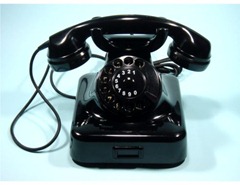
When I grew up we had rotary phones, I probably knew a few dozen phone numbers by heart, since every time I called a friend I had to manually dial it. For the rest, there was the big thick phone book.

Along came the first push-button phones and we could program a few numbers into speed-dial. The issue was no longer knowing all he phone numbers, but remembering which button was which.

Don’t worry, I am not about to walk through all the technology improvements in such detail, as most of my readers remember the rest. Phones with more memory, LCD screens, directories, cell-phones, PDA’s, PC-based programs..etc all have one thing in common: they still use phone numbers, we just don’t have to remember them. Heck, I don’t know all my own phone numbers (but GrandCentral doessmile_regular)

These devices did not eliminate phone numbers; they just made it more convenient to use them. Just like Microsoft’s Echoes (supposedly) will.

All that said, convenience is important, so Echoes is a great plan if and when it works and gets universal acceptance. Of course the flip-side is it’s reliance on Windows Live. Anyone smells lock-in? Let’s not forget for many people Windows Live log-in is their former Microsoft Passport login. The infamous Passport that went down so often depriving users access to basic services, including their own finances. The Passport that Microsoft handles a bit too casually. Here’s a little anecdote just to make the point:

A few months ago I wanted to try Microsoft’s Health Vault ( a system so over-complicated that I can almost guarantee patients won’t be able to use it) and it required my Live (formerly Passport) login. Then it told me my password was not secure enough and forced me to change it. I thought I was changing my vault access only, there was no warning whatsoever that this would change my login to all other systems requiring Live login. I only found out when I could not log in to Microsoft Money, where I manage all my finances.

Conclusion: Echoes sounds like a good, useful plan, just beware what it means to be locked in to a Microsoft platform.

Zemanta Pixie

Tags: , , , , , , , ,

The Cell-Phone Aware PC May Be a PC-less PC

SaaS, Technology March 8th, 2008

Mike Egan @ Computerworld makes the case for PC’s to be smarter, with improved awareness of cell-phones, which means of their owners.

PCs would benefit greatly from awareness about the location of the user. Is she sitting in front of me? Is she out of the building? Imagine if your PC performed routine maintenance, or kicked into security mode when it knew you weren’t around. Since we take them wherever we go, cell phones are ideal devices to inform our PCs whether we’re in the room or not.

We like to set up our PCs just so, with color schemes and specific files and applications we like to use. Imagine if our phones could carry sets of configurations around and magically transform any PC we happen to be using into one set up just like the computer at home or in the office.

We work on documents, then go home and work on them some more. Why don’t phones automatically carry the latest version and upload it to whichever PC we’re using? Why do most of us still use e-mail for this?

A recent Gartner study discusses similar concepts named “Portable Personality Solutions.” Whether the media is thumb drives as in the Gartner study, or cell phones as in Egan’s vision, the core idea is the same: your preferences, your “digital personality” is always with you in your device, and is uploaded and downloaded wirelessly and automatically to whatever computer you want to use.

I like the concept, but it involves unnecessary steps: far too many uploads and downloads, a sure sign that it’s based on today’s computing model, instead of tomorrow’s. I laid out a similar but more far-reaching concept last year:

  • the mobile phone brings the connectivity, browser and some personalization
  • the actual work devices are the cheap displays, keyboards easily found anywhere.
  • the apps and data are on the Net

Can you spot the key difference? There is no computer. Yes, the PC is gone, the display and keyboard are there for convenience reasons (who doesn’t like large displays?) the mobile device can do the minimal processing I need since the heavy workload is carried in the Cloud. Granted this is not the solution for 3-D Modeling, Video Editing and the like, just for regular productivity work, which is what most of us use computers for anyway.

Now, to be fair, this is not really my concept, I was just interpreting Zoho CEO Sridhar Vembu’s personal computing nirvana vision. Recently he developed his vision a step further (actually, it’s not him dreaming further, it’s the technology that advances fast):

Given how mobile phones pack a whole lot of functionality in a tiny package, I have wondered if the ideal server farm is just tens of thousands of mobile phones packed together. It seems to me that the semiconductor technology behind mobile devices is far, far more power efficient than the stuff that goes in servers. Partly it is a backwards compatibility issue, with servers having to run code written all the way back to 1980s, while mobile phones simply didn’t exist that far back. Partly, it is also a function of how traditional client-server applications were architectural monoliths, compared to the deeply distributed “service-oriented architecture” that is common in web applications today.

With mobile phones approaching very respectable CPU & memory capacity, packaging them together as a server cluster makes a lot of sense. Linux can run on almost all of the modern CPUs common in cell-phones, and the mobile version of Java seems actually well-suited for server use, particularly for deeply partitioned, distributed applications. Lightweightness is actually an advantage in server software, just as it is in mobile software.

I wonder how far-fetched this vision is, but have to say this former Qualcomm engineer who just spent a few millions of dollars to create two data centers which will soon provide automatic failover might just know what he is talking about… smile_shades

Update: “Spanning Sync” Charlie is thinking along similar lines: Will Your Next PC be an iPhone?

Update (4/13): Is it Time For a Portable Dumb Terminal?

Tags: , , , , , , , , , , , , ,

Google Gears goes Mobile - Zoho First to Take Advantage

Personal Productivity, SaaS, Startups March 3rd, 2008

Mobility is supposed to be about 24/7 connectivity, isn’t it?  I’m writing this on a a 7.2Mbps HSDPA mobile connection while visiting my parents in Hungary.   HSDPA is like 3G on steroids, and we’re not even close to universal 3G coverage in the US.  What’s more, forget data, I’d be happy with just universal voice coverage right here in the heart of Technology.  I get measly coverage (half a bar only right next to the window) in my house, but what’s a real shame, try talking on a T-mobile phone on the long walkway from Parking to the International Terminal at SFO: zero, nada, no signal at all.

Until that’s fixed, mobility isn’t about 24/7 connectivity, it’s about 24/7 access, online or offline.  Which is why it’s great to see Google Gears Mobile released today, initially for Internet Explorer Mobile on Windows Mobile 5 and 6.  Now you don’t lose vital information when your phone goes offline. 

The first two apps taking advantage of Gears Mobile are Buxfer a finance tracking application and Zoho Writer.


The current Zoho Mobile Offline version (wow, that’s a mouthfulsmile_tongue) is view only - if you recall, it did not take long for Zoho to add edit capabilities to the Gears-based offline version on the desktop, so we can likely expect the same here, too.

This video presents Zoho Writer Offline in use.   As a reminder, Zoho also works on the iPhone, at at izoho.com - offline support will come just as soon as Google Gears will support it.


Related posts: Google Mobile Blog, TechCrunchTechMoz, VentureBeat, Mashable, The Buxfer Post, Zoho Blogs.

Tags: , , , , , , ,

Zoho in the Entertainment Business?

Collaboration, SMB / SME, SaaS November 19th, 2007

You read it here first: Zoho must be planning to take over the entertainment business. Need proof? Just watch the promo video for Zoho Creator Mobile version. Gone are the screenshots, canned demos… it’s all Life 2.0 smile_shades

Hm… I hope his sweethearts’s phone number is not real … otherwise he’s got competition for that movie.smile_tongue

On a more serious note: Zoho is mostly known for their Office Suite and are often compared to Google and Microsoft, when talking about documents, spreadsheets and presentations. Database management and application generation are often overlooked, probably since Google does not have anything to offer in these areas. But Zoho does, and in fact that’s the application that attracts the largest active user base. Creator allows non-tech-types (like yours truly) to easily create fairly sophisticated applications, which are often shared by dozens or hundreds of users. There are about 60K (!)applications developed in Creator, used by over half a million people. (Side note: there must be a fair amount of redundancy among 60 thousand applicationss, and while you can share them publicly today, I’d like to see Zoho develop the search / categorization tools to easily locate them; a sort of “marketplace” even if there’s no actual money flow.)

We can’t really talk about Creator without mentioning a related product: Zoho DB. While Creator is an application generator, DB is primarily for data manipulation, analysis and reporting. Zoho CEO Sridhar Vembu explains the differences here.

Computerworld recently listed Zoho Creator amongst the Five free Web apps we can’t live without. There is also a blog started started by users, entirely dedicated to Zoho Creator, with special focus on using it as a small business software platform: Land of Zoho Creator.

(Disclaimer: I’m an Advisor to Zoho.)

Tags: , , , , , , , , , , ,