I received a surprising voicemail from Microsoft Legal - they demand that I take down the content at www.theultimatebug.com since it points to a promotion that’s no longer running. Click below to hear the voicemail, courtesy of GrandCentral:
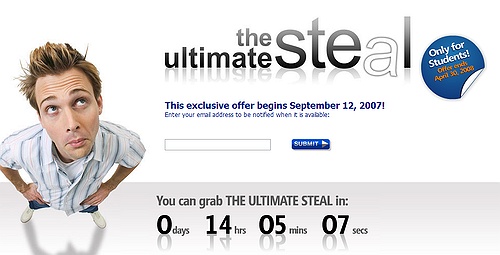
There’s only one problem (actually more): this is not my content, it was set up and is controlled by Microsoft, or an entity that created the promo for Microsoft. The promotion it refers to, The Ultimate Steal was actually quite generous, giving MS Office away to students for $60. My post on the subject was partly promotional, partly poking fun at MightySoft since they could not even get the promo site up working properly:
The countdown reached zero, and started again. And again… several times, even after the advertised opening of the promotion, users were not able to get in, they were just staring at the recycled counter. A commenter @ CrunchGear called it The Ultimate Publicity Scam. I thought it was just a bug, so I created www.theultimatebug.com and pointed to to the MS promo site.
Now they want me to take it down. I can’t, since it’s not my site. The Ultimate Bug domain points to 209.162.191.152, which appears to belong to Peek Consulting LLC, in Louisville, KY. Perhaps MS or Digital River worked with them to create the promotion … I have no clue. Ultimatesteal.com is owned by Microsoft, and while they rerouted the main page to an end-of-life notice, the original content, the one Microsoft Legal wants me to take down is still available here: http://www.theultimatesteal.com/store/msshus/ContentTheme/pbPage.microsoft_office_ultimate
Dear Microsoft, feel free to take your content down any time. And perhaps next time use a smarter agency.
Of course this makes me wonder: what if I really had duplicated the content on my site? Could MS legally force me to remove it, even though it clearly identifies the end-date as May 16 2208? I know some attorneys who read this blog, perhaps you’ll be kind enough to jump in with your comments. Thanks in advance.
Update (6/13) : Someone at Microsoft is reading this blog, after all. 209.162.191.152 which theultimatebug.com was pointing to now shows ‘under construction’. The “bug” lost its meaning after MS fixed the error anyway, and now the promotion itself is over… I need to figure out what to do with this cool domain. In the meantime I am redirecting it to the original post that started it all.
Today’s Zoho Writer update is not what it looks like. Yes, I get the story about:
DocX Support
Thesaurus (in 10 languages)
Enhanced Endnotes/Footnotes
Enhanced Headers/Footers
..etc, but that’s not what I find exciting. DocX support? Personally, I don’t care, MS Office 2003 was the last version I bought, people much smarter than me call it a completely insane format … but hey, the Borg is the market leader, so why not support it… Layout improvements? I’m already in a paperless world, barely ever print, so I don’t really care about these features. But Microsoft Office was created at a time when the purpose of document creation was to eventually print it, and in our legacy world the challenger is measured against the standards of the incumbent, so, yes, I can accept these are important features for Writer. Besides, the academic / student community has been dying for endnotes / footnotes, so now they can have it.
But the hidden bomb here isn’t just a Writer improvement: it’s a feature that shows Zoho’s hands regarding collaboration in the entire Zoho Business Suite. Yes, I am talking about Group Sharing. After all, one of the key drivers behind moving to web-based Office applications is to enable easier collaboration.
Most of the collaborative apps, including Zoho or mighty Google typically allow either public sharing, or inviting users individually, but until now there has been no way to share your documents with a predefined set of users, i.e. members of a group. A year and a half ago I praised Google Groups for stepping out of being just a group email mechanism, becoming a mini community/collaborative platform - but the definition of a “group”, i.e.it’s members does not exist outside the Groups application, I can’t share Google Docs or Spreadsheets with my Group. (And make no mistake it’s been the same with Zoho until now.)
With today’s update you can now create a Group in the âMy Accountâ section of Zoho, and that Group is recognizable in any other Zoho Application, including Writer, Sheet or even Zoho Mail. Eventually there will be multiple privacy / sharing levels within the Zoho Universe:
private
shared with individual email id’s
shared with Groups (defined once, recognized in all apps)
shared by Domain (i.e. share info within your business)
The last one will be a feature of Zoho Business, currently in private Beta, but the other two are available. Thesaurus in 10 languages, format and layout improvements are all nice, but the real news of the day is the improved cross-application collaboration.
Do you think old, archive data on your computers is safe? Think again. Or just re-define safe: so safe that you can’t access it yourself.
In it’s infinite wisdom Microsoft decided certain old documents, including those created by their own Word, Excel and PowerPoint may pose a security risk, so they decided to block them in Service Pack 3 to Microsoft Office 2003. SP3 came out in December September (thanks for the correction) so you may or may not have it yet. Here’s the “fun” part:
There is no clear definition of what’s blocked: the easy one is PowerPoint, where anything before 97 is dead, but as for Word or Excel (let alone other, previously compatible programs), you have to rely on this cryptic description by MS.
There is no warning whatsoever at the time of installing SP3
Even if you know what’s coming, there’s no way to easily locate and convert what is about to become inaccessible on your computer. Disaster may hit months or years away, when you need to access an archive file, but can’t.
Now, before you shrug it off, remember, this isn’t simply abandoning users still running pre-historic versions of software; we’re talking about data files here. You may run the latest release of all applications and still have no reason to touch old documents. After all, that’s what an archive is all about - you *know* your documents are there and will be accessible, should the need arise at any time in the future.
Back in the 80’s and 90’s paperless office was a popular phrase but remained largely a dream, since a lot of information still originated in paper form. The balance has largely shifted since then: the few things I still receive in paper format either end in the waste-basket, or I quickly scan them trusting that with cheap storage and powerful search I will always be able to pull up anything I need. I am finally living in a largely paperless world. But Microsoft just violated that trust, the very foundation of going paperless. Of course I shouldn’t be entirely surprised, this coming from the company which previously decided that the safest PC is a dead PC.
Solution? Microsoft offers one, in this article: tinker with your Registry, an admittedly dangerous, and definitely not user-friendly operation. I prefer Wired’s alternative:
Naturally, thereâs an alternative which is somewhat easier (and free): just grab a copy of OpenOffice which can handle the older file formats. Once youâve got them open, now might be a good time to convert them to ODF documents lest Office 2017 decide to again disable support for older file formats.
And of course I wouldn’t be me if I didn’t point out that this, and many other headaches simply disappear when you ditch the desktop and move online. Web applications typically don’t have major new versions, they just get continually updated (e.g. Zoho updates all their applications every few weeks). When that’s not the case, like when Zoho Show 2.0 was released recently and it required updating the user documents, the service provider takes care of it. They work for you - you don’t care about program versions anymore, just have access to your data. Anywhere, anytime.

If an email comes with an attachment, then I suspect that in a large number of cases the sender is probably using the wrong medium. So for example, this morning I found in my mailbox:
Three seminar announcements with *ALL* the details in an attached word file (nothing in the body of the message). (”Please find enclosed details of our next seminar” - you know the sort of thing…)
Two newsletters as PDF attachments (they’re available on the web as well…)

Yes, I hate that… and if you’re on a slower machine, you spend the next several minutes opening different applications (Word, Excel, Acrobat), wait for the virus scan ..etc, only to wonder how than organize it all…
Here’s Tony’s solution:
So I think I may try a new mail rule:
if attachment then
silently delete AND
reply-to-sender “Please find another way of letting me see the document you sent as an enclosure - I do have a browser, you know… If the document is for commenting on by several people, try Google docs, Zoho, or Microsoft Live whatever it’s called…”
Before I say anything, I want to prefix this post by stating that I am an Advisor to Zoho, which can be perceived as a competitor to Ulteo, the company that just announced providing OpenOffice On-Demand. That said, I often I’ve repeatedly stated my belief that we’re at a state of early expansion for Software as a Service, and for now, the more players the better. Itâs not about slicing the pie yet, itâs about making sure the pie will be huge:
Summing it all up, I believe the winner of the âon-demand raceâ will not be Google, Zoho, or any of their competitors - the winners will be the customers who will have a lot more choice in picking the right business solutions later this year.
So I am happy to see new On-Demand offerings that work - and am royally p***ed when they don’t. I tried to use Ulteo, repeatedly. At the first attempt in the morning, I got stuck with a blank screen:
Next I tried in the evening: I spent a minute or so at the above blank screen, but finally I got some signs of life:
Oops… I don’t know of another instance, I don’t have Openoffice installed on this machine, and a Vista glitch forced me to reboot since my early morning attempt with Ulteo. And I certainly have no clue who the *** user u7670 is or how I should close Openoffice for this user on the Ulteo servers. But let’s click Yes to continue anyway:
Why am I in document recovery mode and just what is it I am about to recover? Finally, I got into this somewhat broken screen:
Not a very positive experience, if you ask me. On the other hand, it’s still more than the previous web-office “announcement”: Live Documents, which is still to materialize…some time next year.
Like I said, I am happy to see more On-Demand services. Those that actually exist, and perhaps even work.
As much as I am a certified web-app fan, Iâm not naive enough to believe Iâll always have 100% broadband availability. Crazy shooters, limited conference availability, or just traveling to less covered areas (and I donât mean here) - there will be times when we need our documents offline.
That’s why I’m happy to see Zoho Writer get offline editing capabilities today. The offline implementation is based on Google Gears, which, ironically, has yet to show up in Google’s own Apps. This video tutorial walks you through the new features - note, the steps to install Google Gears are obviously required only once. After that, you just click “Go Offline”, and can access your documents at writer.zoho.com/offline. When you’re connected again, click “Go Online” and Zoho will sync your changes back to the original document.
Yes, this is not a perfect solution - yet. Going offline has to be a planned activity since you actively need to click the option while still online; this is the way Google Gears works for now. But life produces unexpected situations, like the other day when I had to hop on a train, and was staring at an empty Google Reader as I had forgotten to click “Offline” at home (Google Reader’s offline capability is also based on Gears). But Zoho never stops enhancing their products, and they plan to tackle auto detecting online/offline status and periodically sync the contents of online and offline documents.
Some reviewers compare Zoho’s approach to full integration by Live Documents. I find it rather funny: since when can we compare a PR release to existing products? GigaOM’s headline is also quite surprising: Zoho Seeks to Replace, Not Embrace, Microsoft Office. Again, this in comparison to yet-to-be-launched Live Documents‘ âembrace and extendâ strategy. What this comparison forgets to mention is that Zoho has their own MS Office plugins, so, using their analogy, Zoho’s strategy includes “embrace, extend or replace”. The choice is up to the users, as it should be.
Last but not least, the little birds are singing that the next Zoho announcement will prove that web-based apps can be on par with their desktop counterparts: care to guess which application I am talking about?
OK, so I bit the bullet: after being so critical of Vista, I ended up buying a PC blessed cursed with this Operating System. Not that I changed my mind: I simply wanted an ergonomic desktop, for the times I’m stuck at the desk anyway. Costco had a fairly good promotional offer on a loaded super-duper-multimedia HP with this beauty of a display.
Well, beauty is in the eyes of the beholder, but this 22″ baby has beautiful colors, is fast and the most versatile I’ve seen - it can even pivot to portrait position - except I don’t know why I would want to do that, considering the software does not work, not even after the update.
But first things first: unpacking. This thing has a wireless keyboard and mouse, which is nice - but why on earth do I need to plug in a USB transmitter for them to work? This isn’t an after-market add-on, this configuration only comes with wireless. Talk about wireless, this being a desktop, my primary desktop connection will be via the LAN cable, but why does HP bundle another plug-in, a wireless antenna with this unit? (which, incidentally was missing from my package). Why not just build it in. OK, let’s move on: this whole multimedia center thingie (TV, DVR, remote) does not excite me a lot, but since it there, I will eventually figure out how to work it. But wait: for the remote to work, I have to … yes, you guessed it right, I have to plug-in yet another component, a wireless receiver.
I am not trying to expand the system: out-of-the-box, just to use the basic capabilities I have to plug-in three “extensions” that could very well have been built in. Are these features all afterthoughts? (And I haven’t even mentioned the jungle of cables into the monitor, including a USB connector to enable the two other USB ports on the side of the display).
The next two days were spent with installation, which primarily consisted of removing some of the junk software loaded by HP (I still could not get rid of the Yahoo Search-bar at the bottom!) and setting up my own stuff. I killed the 60-day Norton trial, not that McAfee is better, but it’s free with my Comcast subscription. Too bad it wouldn’t install. This turned out to be a case study on the worth of Customer Support:
Costco Concierge on the phone: after 4-5 minutes she is still stuck trying to spell my name - who has time for this? No way she can help me.
HP Online Support: quickly says the disclaimer that it’s not a HP product, so I should really go to the other vendor, but he will try to help anyway. Well, 8-10 minutes later he concludes I should go to Windows Safe mode for this install. Oh, boy. If I have to start safe-moding on a vanilla, out-of-the box machine, what else am I in for during the lifetime of this thing? I tell him I won’t do this exercise, will likely return the machine next day
McAfee Online Support: he is quite clueless, too, but has an interesting prospective: perhaps, despite the aborted installation (which I repeated 4 times, Control Panel-uninstall-reboot-install included) McAfee might actually be working properly on my machine. Although he didn’t seem to get the concept of corrupted (or missing files) and had no way to verify his idea, he still planted the bug in me, so later, on my own I found a McAfee diagnostic tool that verified that I have the correct setup on my system. So, perhaps I am protected. I guess that’s the definition of hopeware.
I will spare you the details of my two-day struggle with Vista, the fight with the idiotic permission-scheme, (can’t delete my own stuff), the incompatibilities, the fact that there’s less and less information to be found, other than from users - hey, even the User Manuals link points to nowhere… enough said already. After two days, I can use the system (the screen is beautiful) but I’m far from done.
I’m starting to see how this supposedly good deal will turn out to be more expensive then a matching Mac. The funny sad thing is, I myself talked about this, describing the $1,500 iPhone: it’s the cost of my own time. . (see last update). This whole Vista-Microsoft-HP-Dell-you-name-it enchilada is anything but user friendly, a pain to work with. In fact, “work” is the operational word here: I don’t want to work setting up this thing, I just want to use it. Perhaps Steve Jobs and co. are turning a disadvantage into an advantage: they are not the darlings of the corporate market.. so they have to focus on individual users, who don’t have an IT department to support them. That means they are just turning out usable, friendly boxes.
Oh, talk about boxes, Joel Spolsky has a hilarious post today: Even the Office 2007 box has a learning curve, discussing Office 2007’s fancy box (which is the same design Vista comes in):
…I simply could not figure out how to open the bizarre new packaging.
…It represents a complete failure of industrial design; an utter F in the school of Donald Norman’s Design of Everyday Things.
…It seems like even rudimentary usability testing would have revealed the problem. A box that many people can’t figure out how to open without a Google search is an unusually pathetic failure of design.
Hm, now I really don’t know what to think. All this while I’ve been making the point that Vista is not for earthly users; now Chris makes the point it’s not for developers, either. So, who exactly is Vista meant to be for?
Update: How timely… read Raju, a Mac Convert’s testimony: Windows (Dell) to Mac: Thats a smooth ride. Damn. I have 90 days (Costco’s return policy) to make up my mind. But even if I take the smooth ride, no-one is paying for my wasted time….
Update #2: I’m speechless… but Vista has just given me another proof that’s it’s not meant for *users*. Here’s am error window:
Windows decided to mess with Firefox, without telling me, the owner of the computer what it did. OK, let’s click on the link, perhaps it tells us what happened:
So let’s get this straight: Vista makes changes to my system, to the most important program I use, Firefox, without asking me, without telling me what those changes were, how to undo them. And if I want to prevent such aggression in the future, I should go to the “IT Professionals” site.
Well, I won’t. A computer sold at Costco, BestBuy, Fry’s ..etc is a Consumer Device. I am a Consumer. This Operating System is NOT for consumers. Microsoft (via HP) sold me garbage.
I can’t wait for the Vista related Class Action cases.
Update (8/23): Dell must share my views of Vista, or in fact Windows in general, having shipped this laptop without any OS at all
Update (8/23): Even a 6-year-old knows better… he is right, my next PC will be an Apple. And since I’m already doing most of my work on the Web, the transition won’t be a big deal.
OK, this is too much of a coincidence (or not?): when I described Microsoft Money as a showcase for what’s wrong with Microsoft’s Software + Service concept, Omar Shahine, a Microsoft employee responded - he experienced very similar problems. And what am I reading today on Omar’s blog? It’s been a bad month for Vista.
Update # $^&%^&: I’m fighting back. This POS cost me so much of my own time, I am billing HP for some of it. Fat chances of them ever paying, but I feel better .. so here’s my Virtual Invoice: