
Great performance has always been an obsession at Google and it’s something that we think about and work on everyday. We want Gmail to be really fast, and we keep working on ways to make it faster
– says the Official Gmail Blog. They go on:
One of the areas we worked on was the initial loading sequence: everything that happens behind the scenes between the time you press the “Sign in” button on the login page and the moment you land in your inbox. While the improvements we made won’t resolve every “This is taking longer than usual…” message you might see when loading Gmail over a slow connection, we’ve seen a real reduction (up to 20%) in overall load time compared to when we started.
Hm…so the initial loading sequence got faster. Great news – I have only one question: Why do I now always see this previously unknown progress bar every time I sign in to Gmail?

Btw, I created the account specifically for this test, so it has absolutely no email to be pre-processed. Truth be told the progress bar flashes up and disappears quite fast in the empty account, but it stays there long enough in my real accounts with a lot of data. Not exactly a sign of progress, if you ask me (pun intended).
Update: A sure sign that Gmail must have gone through some changes is that the very popular Gmail Manager Firefox add-on is now knocked out: it is unable to login to any Google Apps email accounts. Regular Gmail accounts appear to be unaffected.
Update#2: I guess I should point out the positive side of the story: this approach is a lot better (transparent) then the Microsoft approach to their slow copy problem, where Vista SP1 improved (perceived) performance partly by rethinking the progress-bar. 
 ).
). I wanted to get organized about my ever-growing inbox, so I thought I’d give


 Mozilla Lab’s
  I’ve been using Zoho Writer, Sheet and Show in a
 OK, so I bit the bullet: after
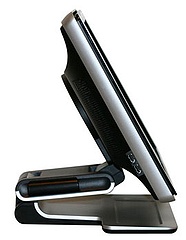
 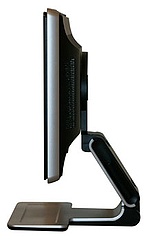 the two other USB ports on the side of the display).
 I will spare you the details of my two-day struggle with Vista, the fight with the idiotic permission-scheme, (can’t delete my own stuff), the incompatibilities, the fact that there’s less and less information to be found, other than from users – hey, even the User Manuals link points to nowhere… enough said already. After two days, I can use the system (the screen is beautiful) but I’m far from done.
 . This whole Vista-Microsoft-HP-Dell-you-name-it enchilada is anything but user friendly, a pain to work with. In fact, “work” is the operational word here: I don’t want to work setting up this thing, I just want to use it. Perhaps Steve Jobs and co. are turning a disadvantage into an advantage: they are not the darlings of the corporate market.. so they have to focus on individual users, who don’t have an IT department to support them. That means they are just turning out usable, friendly boxes.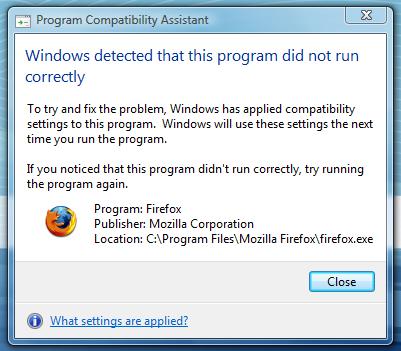
 (originally built on Mozilla) says
Recent Comments